
Think about how often money moves in your daily life as a Nigerian. Your parents send your monthly allowance. You split a bill with friends after an outing. You pay for something on Instagram. A client pays you for a freelancing job.
You buy data. You pay your school fees. You send money to a classmate who covered something for you. Money is constantly moving and the way it moves has changed dramatically over the past several years in Nigeria.
Gone are the days when sending money meant going to a bank branch, filling out a teller slip, and waiting in a queue for forty-five minutes.
Today, most Nigerians send and receive money entirely from their phones in seconds, and the options for doing this have multiplied to the point where most people use several different methods depending on the specific situation.
This guide covers everything you need to know about how to send and receive money in Nigeria online. Every major method, how each one works, what it costs, when to use each one, and what to be careful about.
Whether you’re sending 500 naira to a friend or receiving payment from an international client, there’s a specific tool for the job and understanding them makes your financial life significantly smoother.
The Nigerian Online Money Transfer Landscape
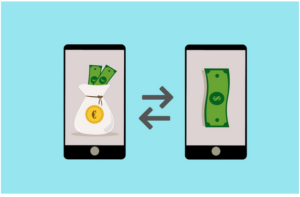
The infrastructure for moving money digitally in Nigeria has developed rapidly and now includes several distinct categories of transfer methods. Understanding which category serves which need helps you choose the right tool for every situation.
Bank transfers through the NIP interbank transfer system move money between accounts at different banks and are the backbone of formal money movement in Nigeria.
Mobile money and fintech app transfers happen within and between specific platforms and often have different fee structures than traditional bank transfers.
USSD transfers allow banking transactions without internet access using basic phone services. International transfers move money between Nigeria and other countries in either direction.
And payment collection tools allow businesses and individuals to receive money from multiple sources in an organized way.
Each category has its place and understanding when to use each one saves both time and money.
Method One: Bank Transfers Through Mobile Banking Apps
Bank transfers through your bank’s mobile app are the most common way Nigerians move money and the method that most people default to for most transactions. The process is straightforward but there are specific things to understand about how it works and what it costs.
How Bank Transfers Work in Nigeria
When you transfer money from your GTBank account to someone’s Access Bank account, the transaction doesn’t happen directly between the two banks. It goes through the Nigeria Inter-Bank Settlement System, specifically through the NIP which stands for NIBSS Instant Payment.
NIP processes transactions in real time and is the reason transfers between Nigerian banks are typically instant or complete within a few minutes rather than taking days like international SWIFT transfers.
The process from your end is simple. You open your banking app, navigate to the transfer section, enter the recipient’s account number and their bank, enter the amount, confirm the details, and authorize with your transaction PIN.
The money leaves your account immediately and arrives in the recipient’s account within seconds to a few minutes in most cases.
Transfer Fees for Bank Transfers
The Central Bank of Nigeria regulates interbank transfer fees. The current fee structure applicable across Nigerian banks is as follows.
Transfers of 5,000 naira and below attract a fee of 10 naira. Transfers between 5,001 naira and 50,000 naira attract a fee of 25 naira. Transfers above 50,000 naira attract a fee of 50 naira. A VAT of 7.5 percent is applied on top of these base fees.
Same-bank transfers, meaning transfers between two accounts at the same bank, are typically free or charge significantly lower fees than interbank transfers. This is why some people maintain accounts at multiple banks and use same-bank transfers when both parties use the same institution.
Daily Transfer Limits
Nigerian banking regulations set daily transfer limits for individual accounts. These limits vary by account tier. Tier 2 accounts have a maximum daily transfer limit of 500,000 naira. Tier 3 accounts have higher limits that vary by bank.
If you need to transfer more than your daily limit allows, you’ll need to split the transfer across multiple days or request a limit increase from your bank.
How to Make a Bank Transfer
Open your bank’s mobile app and log in with your password or biometric authentication. Find the transfer or send money option which is typically prominently displayed on the home screen. Select whether you’re transferring to the same bank or a different bank.
Enter the recipient’s ten-digit account number and select their bank from the dropdown list. The app will automatically verify the account and display the account holder’s name. Always verify this name matches the person you intend to send to before proceeding.
Enter the amount you want to transfer. Add a narration or description if needed. Review all details carefully and confirm the transaction with your PIN or fingerprint. You’ll receive a confirmation notification and the recipient receives a notification of the credit almost immediately.
When to Use Bank Transfers
Bank transfers through your mobile app are most appropriate for significant amounts where the fee is proportionally small relative to the transaction value, for formal transactions where you want a clear paper trail in your bank statement, for paying school fees or other official payments, and for receiving your monthly allowance from family.
Method Two: Digital Bank and Fintech App Transfers
Digital banks and fintech platforms like Kuda, Opay, and PalmPay have their own internal transfer systems that often have different and sometimes better fee structures than traditional bank transfers.
Transfers Within the Same Platform
Sending money from one Kuda account to another Kuda account is free with no transaction fee. The same applies to Opay to Opay transfers and PalmPay to PalmPay transfers.
This free same-platform transfer is a significant benefit for students whose friends and classmates use the same digital banking platform.
Coordinating with your social circle to use the same platform means that splitting bills, paying back small amounts, and moving money between friends happens at zero cost.
If your entire group of close friends uses Kuda, for example, you can send money between yourselves freely and use the fee-incurring interbank transfers only when sending to people outside your shared platform.
Transfers from Digital Banks to Other Banks
When you send from a digital bank like Kuda to a traditional bank like GTBank, the transaction goes through the same NIP interbank system as traditional bank transfers.
Kuda provides 25 free interbank transfers per month after which charges apply at 25 naira per transfer. Opay and PalmPay have their own fee structures for interbank transfers that are generally competitive with traditional bank rates.
The Cashback and Rewards Angle
Some digital platforms reward certain types of transfers or payments with cashback or reward points. PalmPay has been particularly active with cashback on airtime purchases, bill payments, and other transactions.
These cashback rewards reduce your effective transaction cost and represent genuine additional value for active platform users.
How to Send Money on Digital Bank Apps
The process is similar to traditional bank apps but often more streamlined. On Kuda, tap the send money option, enter the recipient’s phone number if they’re on Kuda or their account number and bank if they’re not, verify the name displayed, enter the amount, and confirm with your PIN. The entire process typically takes under thirty seconds for regular recipients.
Most digital bank apps allow you to save frequent recipients so you don’t need to re-enter account details for people you pay regularly. Setting up your parents, close friends, and regular payment recipients as saved beneficiaries saves time and reduces the risk of entering incorrect account details.
Method Three: USSD Transfers Without Internet
USSD transfers are one of the most underused and most important features of the Nigerian banking system because they allow you to send money without internet access.
When your data has finished, when you’re in an area with poor internet connectivity, or when your banking app is having issues, USSD provides a reliable backup.
Every major Nigerian bank has a USSD code that allows basic banking functions including transfers directly from your phone’s dialer without any app or internet connection.
The most commonly used ones include 737 for GTBank, 901 for Access Bank, 894 for First Bank, 966 for Zenith Bank, 919 for UBA, and 322 for Kuda. Digital platforms also have USSD access with Opay accessible through 955.
How USSD Transfers Work
Open your phone’s dialer and enter your bank’s USSD code followed by the hash symbol. For GTBank you would dial 737 hash. A menu appears on your screen with numbered options. Navigate through the menu by entering the number corresponding to the option you want.
For a transfer, you’ll typically select the transfer option, then choose whether it’s to the same bank or another bank, enter the recipient’s account number and the amount, and confirm with your four-digit PIN.
USSD transfers are processed through the same NIP system as app-based transfers so they’re subject to the same fees and arrive at the same speed. The experience is less visually intuitive than app-based transfers but becomes straightforward with practice.
Setting Up USSD Access
You typically need to register your account for USSD banking the first time you use it. The registration process happens through the USSD menu itself and requires your account number and a PIN setup. Do this before you need USSD in an emergency so the access is ready when you actually need it.
Method Four: Piggyvest and Savings Platform Transfers
Piggyvest and similar savings platforms allow you to send money to other Piggyvest users and to external bank accounts from your savings balance. This is particularly useful when your emergency savings need to be accessed quickly for a genuine emergency and sent to cover an expense.
Withdrawals from Piggyvest to your linked bank account are typically processed within two to four hours or up to one business day depending on the time of the request. Instant withdrawals are sometimes available for a small fee.
Understanding the withdrawal timeline from your savings platform is important so you’re not caught in a situation where you need funds immediately but they take hours to arrive.
The Piggyvest Joinbeta feature, which is the group savings function, also facilitates money movement between group members as contributions flow into the shared pool and disbursements flow to the recipient of each round.
Method Five: Payment Links and Collection Tools
Payment links are a particularly useful tool for Nigerian students who are selling products, offering services, or collecting contributions from a group. Rather than sharing your account number and asking people to make a manual transfer, you create a payment link that recipients click to pay you directly.
Paystack Payment Links
Paystack is a Nigerian payment processing company that allows individuals and businesses to create payment links for free. You set up a Paystack account, create a payment page or link specifying the amount and purpose, and share the link with whoever needs to pay you.
They click the link, enter their card details or bank details, and the money arrives in your Paystack balance from which you withdraw to your bank account.
Paystack charges a fee on each transaction, currently 1.5 percent of the transaction value for Nigerian card payments with a cap of 2,000 naira per transaction and a minimum of 100 naira.
For transactions above 2,500 naira, an additional flat fee of 100 naira applies. These fees are charged to you as the receiver rather than the payer.
For students collecting money from multiple people, such as for a group contribution, a shared expense, or payment for a service, Paystack payment links are significantly more professional and organized than asking everyone to make individual bank transfers.
Flutterwave Payment Links
Flutterwave is another Nigerian payment company that offers similar payment link functionality. Flutterwave’s product called Flutterwave Store allows anyone to create a simple online storefront with payment capabilities, which is useful for students selling digital products or physical goods.
The fee structure on Flutterwave is comparable to Paystack. Both platforms are widely trusted by Nigerian buyers and are recognized brand names that increase the likelihood of payment completion compared to asking someone to transfer to an unknown account number.
Selar for Digital Product Sales
If you’re selling digital products, Selar handles the payment collection, product delivery, and payout to your bank account automatically. You don’t need to manually receive payments and deliver products for each sale. The platform handles the entire transaction and deposits your earnings to your linked bank account.
Method Six: Receiving and Sending International Payments
International money transfer is increasingly relevant for Nigerian students who earn from freelancing platforms, receive support from family abroad, or need to pay for international services. This is an area where understanding your options makes a significant difference to both the cost and speed of transactions.
Receiving from Freelancing Platforms: Payoneer
Payoneer is the standard solution for Nigerian freelancers receiving payments from international platforms like Fiverr, Upwork, and other global marketplaces.
When you set up a Payoneer account, you receive a US bank account number, a UK bank account number, and a European bank account number. International clients and platforms can pay you directly into these accounts in their local currency.
Once funds are in your Payoneer account, you withdraw to your Nigerian bank account in naira. Payoneer applies its own exchange rate for the conversion and charges a fee for each withdrawal.
The fees and rates vary so checking the current terms on the Payoneer website is important before relying on the platform for significant amounts.
Setting up a Payoneer account is free and requires your BVN, a valid ID, and your Nigerian bank account details for withdrawals. The verification process takes a few days to complete.
Grey and Similar Virtual Account Services
Grey is a Nigerian fintech company that provides virtual USD, GBP, and EUR account numbers to Nigerian users. These virtual account numbers allow you to receive international payments directly without going through a marketplace platform.
If an international client wants to pay you by bank transfer rather than through Fiverr or PayPal, you can give them your Grey USD or GBP account details.
Funds received in Grey are converted to naira at competitive market rates and withdrawn to your Nigerian bank account. Grey’s exchange rates are generally competitive with or better than traditional bank conversion rates for foreign currency.
The platform has built a user base among Nigerian freelancers as an alternative or supplement to Payoneer.
Chipper Cash is another platform that facilitates international money transfers to and from Nigeria with competitive rates and a focus on African cross-border transfers specifically.
Receiving Money from Family Abroad
Nigerian students with family members in the United Kingdom, United States, Canada, or other countries sometimes receive financial support sent from abroad. Several services make this more convenient and often less expensive than traditional bank wire transfers.
Western Union and MoneyGram are the most established international remittance services and have wide networks of both digital and agent locations. However, their fees can be significant and their exchange rates are often less favorable than specialized digital remittance services.
WorldRemit, Wise (formerly TransferWise), and Remitly are digital remittance platforms that have become popular for Nigeria-bound transfers because of their competitive exchange rates, lower fees compared to traditional wire transfers, and fast delivery times. Money sent through these services typically arrives within minutes for mobile money or bank transfer delivery.
Recipients in Nigeria don’t need to sign up for anything to receive money through most of these services. The sender initiates the transfer and the recipient receives directly to their Nigerian bank account.
Sending Money Internationally from Nigeria
Sending money out of Nigeria is more regulated than receiving and involves Central Bank of Nigeria oversight. Several platforms facilitate this for legitimate purposes.
Wise allows Nigerians to send money internationally at competitive mid-market exchange rates with transparent fees disclosed before the transfer. The platform is particularly useful for Nigerian students paying for international services, subscriptions, or educational fees.
Remitly and WorldRemit also support outbound transfers from Nigeria to certain destinations.
Traditional bank wire transfers through commercial banks are available but tend to have higher fees and less competitive exchange rates than digital alternatives. For significant amounts where the rate difference matters, comparing digital platform rates against your bank’s wire transfer rate before sending is worth the extra few minutes.
Method Seven: QR Code and Contactless Payments
QR code payments have grown in adoption among Nigerian businesses and the technology makes certain payment scenarios faster and more convenient than manual account number entry.
Most Nigerian banking apps now include a QR code payment feature. You can display your personal QR code for someone to scan and pay you, or scan a merchant’s QR code to pay them directly from your app. The transaction processes as a regular bank transfer but without the need to manually enter and verify account numbers.
Kuda, Opay, PalmPay, and most traditional bank apps all support QR code payments. The QR code contains your account information encoded in the image.
When someone scans it with their compatible banking app, your account details are automatically populated and they simply enter the amount and confirm.
For students collecting money for group contributions, selling at events, or receiving payment from multiple people in a short period, displaying your QR code is significantly more efficient than sharing your account number verbally or by message and asking each person to transfer manually.
Understanding Transaction Limits and How They Affect You
Every money transfer method in Nigeria operates under transaction limits set by both regulatory requirements and individual platform policies. Understanding these limits prevents situations where a transfer you need to make is blocked at a critical moment.
Single transaction limits cap how much you can send in one transfer. At Tier 2 accounts this is typically 200,000 naira per transaction. Tier 3 accounts have higher per-transaction limits that vary by bank.
Daily cumulative limits cap the total amount you can transfer in a single day. Tier 2 accounts have a daily limit of 500,000 naira. This limit resets at midnight each day.
Recipient limits apply on some platforms where there’s a limit to how much one account can receive in a given period without additional verification.
If you need to make a transfer that exceeds your current limits, the solutions are to upgrade your account to a higher tier by completing additional verification requirements, split the amount across multiple days if timing allows, or visit your bank branch for manual processing of large transactions that exceed digital limits.
How to Verify a Nigerian Bank Account Before Sending Money
One of the most important practices in online money transfer in Nigeria is verifying that you’re sending to the correct account before confirming any transfer. Account number errors are one of the most common causes of money being sent to the wrong person and recovery, while possible, is not guaranteed or quick.
Every Nigerian banking app and USSD service displays the account holder’s name when you enter an account number before you confirm the transfer. This name verification step is your primary protection against sending to the wrong account. When the name appears, read it carefully and confirm it matches the person you intend to pay.
Common mistakes include transposing digits in an account number, entering one digit incorrectly, or using an old saved account number for someone who has changed their primary account. Always re-verify account details when sending significant amounts even to people you’ve paid before.
If you accidentally send money to the wrong account, contact your bank immediately. The bank can initiate a reversal request but success depends on the recipient not having spent or withdrawn the money and the recipient’s bank cooperating with the reversal.
The process can take days and is not always successful, which is why prevention through careful verification is far preferable.
Transfer Fees Comparison: What Each Method Costs
Understanding the cost of different transfer methods helps you choose the most economical option for each specific situation.
Traditional bank transfers through mobile apps cost 10 to 50 naira plus 7.5 percent VAT for interbank transfers depending on the amount. Same-bank transfers are free or very low cost at most banks.
Kuda provides 25 free interbank transfers per month then charges 25 naira per additional transfer. Same-Kuda transfers are always free.
Opay charges fees on interbank transfers that are comparable to traditional bank rates. Opay to Opay transfers are typically free.
PalmPay has a similar fee structure to Opay for interbank transfers with free platform-to-platform transfers.
USSD transfers through your bank’s USSD code are subject to the same NIP transfer fees as app-based transfers plus sometimes a small USSD session charge depending on your mobile network.
Paystack payment collection charges 1.5 percent of the transaction value capped at 2,000 naira plus 100 naira for transactions above 2,500 naira. This is charged to the receiver.
Payoneer international withdrawal to a Nigerian bank account charges a fee that varies based on the amount and currency.
Safety and Fraud Prevention in Online Money Transfers
The convenience of online money transfers comes with specific fraud risks that Nigerian students need to understand and actively protect against.
Social engineering and transfer fraud:
The most common fraud in Nigerian digital payments involves someone deceiving you into making a transfer through false pretenses. This might be a fake seller who takes payment and doesn’t deliver, a fake emergency from someone claiming to be a friend or family member in distress, or a business opportunity that requires upfront payment.
Always verify the identity and legitimacy of anyone requesting a transfer through an independent channel, not just through the communication they used to contact you, before sending any money.
Account takeover fraud:
Fraudsters who gain access to your phone can complete transfers using your banking app without needing your PIN if your phone’s biometric authentication is compromised. Protecting your phone with a strong screen lock, enabling two-factor authentication where available, and immediately reporting your phone as lost if it’s stolen are essential precautions.
Phishing for banking credentials:
Fake websites and messages that impersonate Nigerian banks to steal your login credentials are a persistent threat. Never enter your banking credentials on any website you didn’t navigate to directly from a trusted bookmark or the official bank link. Be suspicious of any email, SMS, or social media message asking you to click a link to verify your account or update your banking details.
OTP fraud:
One-time passwords sent to your phone for transaction authorization are your bank’s security layer. Never share your OTP with anyone regardless of who they claim to be. Bank staff never ask for OTPs. If someone is asking for your OTP, it’s fraud regardless of the story they’re telling.
Protecting your transfer credentials:
Your transaction PIN is private and should never be shared. Your banking app password is private. Your BVN should not be shared carelessly as it can be used to access your banking profile. Treat these as you would the combination to a safe containing your money, because that’s essentially what they are.
Receiving Money as a Freelancer or Business: Best Practices
Nigerian students earning from freelancing, selling products, or offering services need specific practices around receiving payment that protect them and their income.
Collect payment before delivering work:
For new clients, always collect at least 50 percent payment before starting work and the remainder before delivering final files.
For small amounts under 5,000 naira, full upfront payment is reasonable. Delivering work before receiving payment creates risk of non-payment that is difficult to resolve after the fact.
Confirm receipt before delivering:
When a client says they’ve made a transfer, confirm the credit has actually appeared in your account before releasing any product or completing any service. Bank transfer notifications don’t always arrive instantly and some fraudulent clients claim to have transferred when they haven’t.
Keep records of all transactions:
Save screenshots of transfer confirmations for significant transactions. Your bank statement provides a formal record but screenshot evidence of specific payment confirmations is useful for resolving disputes about whether payment was made and when.
Use payment platforms for volume collection:
If you regularly collect payments from multiple people, a Paystack or Flutterwave payment link is more professional and more organized than sharing your account number individually. The payment platform provides a clean transaction record and reduces the coordination overhead of manual bank transfers.
Sending Money Safely: A Checklist
Before confirming any transfer, run through this quick checklist to protect yourself.
Verify the account number is correct digit by digit. Confirm the account holder name that appears matches the intended recipient. Confirm the amount is correct including whether it should include or exclude transfer fees.
Confirm you’re transferring to the right bank. Ensure you have the funds available including for the transfer fee. For significant amounts, consider calling or messaging the recipient to confirm their account details independently before sending.
After sending, keep the confirmation reference number from your banking app. This reference number is what your bank needs to investigate if any issue arises with the transaction.
Frequently Asked Questions
How long does it take for a bank transfer to arrive in Nigeria?
Interbank transfers through the NIP system are typically instant or complete within a few minutes during normal banking hours. Occasional technical delays can extend this to a few hours.
Very rarely, transfers are delayed beyond a few hours due to system issues, in which case contacting your bank with the transaction reference number is the appropriate step.
What do I do if I send money to the wrong account in Nigeria?
Contact your bank immediately with the transaction reference number, the wrong account details, and the amount. Your bank will initiate a reversal request to the recipient’s bank.
The process requires cooperation from the recipient’s bank and ideally from the account holder who received the erroneous payment. Recovery is not guaranteed but is often successful particularly when initiated quickly. This is why verification before sending is so important.
Can I send money from Nigeria to another African country?
Yes through several platforms. Chipper Cash specializes in African cross-border transfers and supports multiple African currencies. Wise supports transfers from Nigeria to many international destinations.
Traditional bank wire transfers also facilitate international transfers from Nigeria though typically at higher cost. The receiving country and platform determine which specific options are available.
Is there a limit to how much I can receive in my Nigerian bank account?
Receiving limits depend on your account tier. Tier 2 accounts have a maximum balance of 500,000 naira. Tier 3 accounts have higher receiving capacity.
If you need to receive large amounts regularly you should ensure your account is upgraded to the appropriate tier through full KYC verification.
Why did my transfer show as deducted from my account but the recipient hasn’t received it?
This happens occasionally due to technical issues in the interbank system.
The money is typically either in transit between banks or returned to your account. Wait up to twenty-four hours before taking action. If it hasn’t resolved, contact your bank with the transaction reference number and they can trace the transfer and determine its status.
Can someone take money from my account with just my account number?
Your account number alone cannot be used to take money from your account. Account numbers are for receiving payments and are safe to share.
What’s private and must never be shared is your transaction PIN, your banking app password, your OTP codes, and your BVN. These credentials, not your account number, control access to your account.
How do I receive dollars from a US-based client?
The most accessible options are Payoneer, which gives you a US bank account to receive dollar transfers, and Grey, which provides virtual USD account details.
Both convert received dollars to naira for withdrawal to your Nigerian bank account. Your client initiates a bank transfer to the US account number provided by whichever platform you use.
Conclusion
Sending and receiving money in Nigeria online has become genuinely simple, fast, and accessible in ways that were unimaginable a decade ago.
The range of options available to Nigerian students covers everything from free same-platform transfers between friends to international dollar receipts from clients across the world, all manageable from the same smartphone.
The key to using this infrastructure well is understanding which method is appropriate for which situation. Same-platform transfers for free peer-to-peer payments between friends. Interbank transfers through mobile apps for formal significant transactions. USSD for backup access when internet fails.
Payment links for organized collection from multiple payers. Payoneer or Grey for international earnings. And always verification before sending regardless of the amount.
Beyond the practical mechanics, the safety practices covered in this guide are worth taking seriously.
Online money transfer fraud is real in Nigeria and the most common protective measure is exactly the same as in physical financial transactions: slow down, verify, and confirm before releasing anything of value.
Your money moves through these systems dozens of times every month. Understanding them well enough to use them efficiently, safely, and cost-effectively is a practical skill that saves you both money and stress throughout your student years and well beyond.
How to Decide What Fits Your Situation
Compare the options using the factors that matter to you, such as cost, time, eligibility, convenience, safety, and likely benefit. Do not choose an option only because it is popular or because an advertisement promises a particular result.
Steps You Can Take Today
Start with one manageable action. Check the requirements, prepare the information or resources you need, and keep a record of the result. If money is involved, set a limit that you can afford and review the terms before proceeding.
Problems to Watch For
Watch for unexpected charges, misleading claims, pressure to act quickly, and requests for sensitive account credentials. If something goes wrong, save transaction references or other evidence and contact the relevant official provider rather than relying on an unofficial intermediary.
Related MoneyX Guides
Continue with these related guides for practical information that can help you make a better-informed decision:




Comments 2
[…] How to Send and Receive Money Online in Nigeria: Safe and Practical Options […]
[…] READ ALSOHow to Send and Receive Money Online in Nigeria: Safe and Practical Options […]
Leave a Comment
Your email will not be published.